Position in the range
The Trezor Safe 3 is a button-operated option with open firmware and Secure Element protection. Current specifications identify an EAL6+ OPTIGA Secure Element, a monochrome OLED display and supported Multi-share backup. Safe 7 adds a separate TROPIC01 chip, so the three models do not have identical hardware. The manufacturer listed it at $59 on October 1, 2026.
Security and features
Safe 3 combines an OPTIGA Secure Element with open firmware and supports compatible Single-share and Multi-share recovery. Check the selected edition and exact asset workflow in Trezor Suite or a supported third-party wallet. A headline asset count is not a native-app guarantee, and Trezor Suite no longer offers the discontinued Coinjoin service.
A monochrome OLED display and physical buttons handle navigation and confirmation. Smaller screens can require more steps to inspect a transaction. Consider how often you sign and how clearly you can check details, while learning backup recovery before relying on the device.
Strengths and limitations
- + EAL6+ certified Secure Element
- + Open-source firmware
- + Wide asset support in the universal edition
- + Supported Multi-share backup
- + Current manufacturer-stated weight: 14 g
- − Small monochrome OLED display
- − Physical buttons rather than a touchscreen
- − No Bluetooth or NFC
- − Some Web3 workflows require compatible third-party apps
Who should consider Trezor Safe 3?
Safe 3 is an option for readers who prefer USB, physical buttons and open firmware. Purchase cost is one consideration alongside readable confirmation, asset support and recovery. EAL6+ is a chip evaluation level, not proof of identical security across models or a guarantee for the amount you hold. Check the edition and current offer.
Trezor Safe 3 and Ledger Nano S Plus
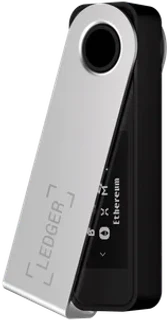
Compare the USB-connected options: Safe 3 and Nano S Plus. The manufacturers listed Safe 3 at $59 and Nano S Plus at $69 on October 1, 2026. Both current product pages identify EAL6+ chip protection, with different architectures. Safe 3 provides open-source firmware, while Ledger OS is not fully open source. Compare exact asset and app compatibility rather than treating the old registry counts as guaranteed coverage. Safe 3 also supports Multi-share backup. Recovery preferences, device prompts and your existing app workflow matter more than a universal winner label. The Safe 3 is one option to evaluate alongside Nano S Plus; the older German price difference and EAL5+ comparison are not current U.S. specifications.
Frequently asked questions about Trezor Safe 3
Can Safe 3 be used to hold larger amounts?
The device has Secure Element protection and open firmware, but the amount alone cannot establish a suitable custody setup. Backup storage, passphrases, address checks and recovery access matter. Safe 7 has a different chip architecture; do not assume their security is identical because both mention EAL6+.
Can I later move to Safe 5 or Safe 7?
A compatible recovery backup can restore the wallet on another supported device. You need the correct words or sufficient shares, any passphrase and the appropriate account paths. Follow the official recovery procedure and verify the intended accounts before relying on the replacement device.
How does Safe 3 compare with Nano S Plus?
Both current specifications identify EAL6+ chip protection. Safe 3 provides open firmware and Multi-share backup; Nano S Plus has Ledger-specific app workflows and USB desktop/Android support. Compare exact assets, recovery and current offers. The manufacturers listed them at $59 and $69 on October 1, 2026, reversing the old EUR price comparison.