
Asset and device support
XRP: Supported. Use the relevant multi-coin edition and current manufacturer software.
Connection: NFC with a compatible smartphone
Check compatibility with your exact operating system before ordering. Software integrations and supported networks can change.
How recovery works
Two cards; optional seed phrase
Keep recovery material outside messages, browser forms and cloud photos. The backup controls access; the device alone is not the full recovery plan.
Plan a recovery backup →Strengths and limits
What the model offers
- No charging cable
- Card-based backup
- XRP supported
Check before buying
- Only one spare card
- No on-device transaction display
- Requires a compatible NFC phone
US purchase availability
The manufacturer serves US buyers and markets this model. That is not a guarantee of inventory, a delivery date, a US dollar price or access to integrated exchange services. Check the final checkout with your delivery address.
Set up the recovery plan before funding
Buy this model through the manufacturer or an authorized seller and follow the current instructions for the exact edition. Packaging appearance alone does not establish that a device is genuine. Use the manufacturer’s authenticity checks and official software, initialize the wallet yourself and reject a device supplied with a prewritten recovery phrase.
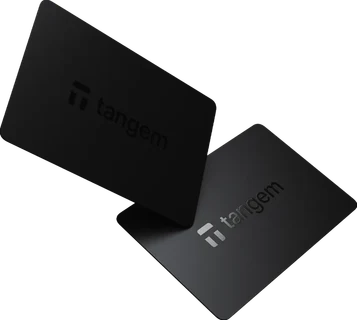
Tangem’s card and ring approach uses NFC with the phone app. Follow the manufacturer’s backup procedure for the cards or ring in your particular set. Decide whether you use the offered seedless configuration or a recovery-phrase configuration before funding; these have different recovery requirements.
A seedless configuration relies on the configured backup devices and their access rules. Losing access to every configured device can mean losing access to the funds. Keep backup devices in separate secure locations and document which devices belong to this wallet.
Check recovery while the wallet is still empty using the manufacturer’s supported procedure. Do not reset your only funded signing device to experiment. If you choose an extra passphrase, confirm that you can reproduce the intended wallet: a different passphrase can open a different account without telling you it was a typing error.
Receive XRP and verify the destination
Confirm that the model’s required edition and current software support native XRP. Add the XRP account through the supported wallet application and select the XRP Ledger network in the sending exchange. A similarly named token on another chain is a different receiving route.
This NFC wallet uses the app rather than a separate hardware display. Inspect the destination, amount and transaction context carefully in the official app; a phone screen has a different trust model from a separate signing-device display. Follow the receiving account’s exact tag instructions. Check the current XRP reserve before activating a new account.
Start with a small transfer, confirm receipt in the wallet and inspect the public transaction. Keep the acquisition receipt and transfer hash together. A wallet balance establishes an on-ledger quantity; it does not tell you the purchase date or cost basis.
Inspect a public XRP account →What the hardware protects during everyday use
The wallet is a signing tool. It can help isolate signing keys, but you still choose which transaction to authorize. Verify the destination, asset, network and requested amount. A genuine device cannot make a malicious recipient safe or cancel a completed transfer.
Use official update channels and review the device instructions before a firmware update. Keep the recovery plan accessible without exposing it to the computer used for the update. Do not enter recovery words into a website after an error message or a message from someone claiming to offer support.
Consider your everyday equipment before ordering: NFC with a compatible smartphone. Confirm support for the exact phone or computer, browser integration and assets you plan to use. Buying the hardware does not establish US eligibility for an integrated buy, sell or swap provider. Those services have their own account rules, fees and regional restrictions.
Before selling or disposing of the device, move funds where necessary, verify your recovery access and follow the manufacturer’s reset procedure. Do not hand over a device or backup material that still controls your wallet.
Read the complete setup guide →Sources & limits
Source review: Oct 1, 2026. Availability and provider terms can change.