
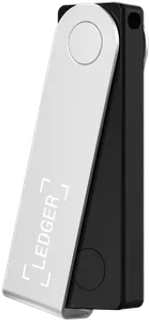
Asset and device support
XRP: Supported. Use the relevant multi-coin edition and current manufacturer software.
Connection: USB-C and Bluetooth
Check compatibility with your exact operating system before ordering. Software integrations and supported networks can change.
How recovery works
24-word recovery phrase
Keep recovery material outside messages, browser forms and cloud photos. The backup controls access; the device alone is not the full recovery plan.
Plan a recovery backup →Strengths and limits
What the model offers
- iPhone connectivity
- Physical confirmation buttons
- Desktop and Android support
Check before buying
- Small screen requires more scrolling
- Ledger OS is not fully open source
US purchase availability
The manufacturer serves US buyers and markets this model. That is not a guarantee of inventory, a delivery date, a US dollar price or access to integrated exchange services. Check the final checkout with your delivery address.
Set up the recovery plan before funding
Buy this model through the manufacturer or an authorized seller and follow the current instructions for the exact edition. Packaging appearance alone does not establish that a device is genuine. Use the manufacturer’s authenticity checks and official software, initialize the wallet yourself and reject a device supplied with a prewritten recovery phrase.
Follow the device’s own initialization and recovery procedure. If it generates a phrase, write it down exactly and verify it through the manufacturer’s recommended on-device process. The word list, word count and backup format depend on the model and chosen setup; do not substitute a generic recovery workflow.
The recovery material can control funds independently of the original device. Keep it offline and protect it against theft as well as damage. Store a separate explanation of the backup format and any extra passphrase without making a single stolen document sufficient to recover everything.
Check recovery while the wallet is still empty using the manufacturer’s supported procedure. Do not reset your only funded signing device to experiment. If you choose an extra passphrase, confirm that you can reproduce the intended wallet: a different passphrase can open a different account without telling you it was a typing error.
Receive XRP and verify the destination
Confirm that the model’s required edition and current software support native XRP. Add the XRP account through the supported wallet application and select the XRP Ledger network in the sending exchange. A similarly named token on another chain is a different receiving route.
Where the device provides a trusted display, confirm the receiving address or signing details on that device instead of relying only on the computer or phone screen. Follow the receiving account’s exact tag instructions. Check the current XRP reserve before activating a new account.
Start with a small transfer, confirm receipt in the wallet and inspect the public transaction. Keep the acquisition receipt and transfer hash together. A wallet balance establishes an on-ledger quantity; it does not tell you the purchase date or cost basis.
Inspect a public XRP account →What the hardware protects during everyday use
The wallet is a signing tool. It can help isolate signing keys, but you still choose which transaction to authorize. Verify the destination, asset, network and requested amount. A genuine device cannot make a malicious recipient safe or cancel a completed transfer.
Use official update channels and review the device instructions before a firmware update. Keep the recovery plan accessible without exposing it to the computer used for the update. Do not enter recovery words into a website after an error message or a message from someone claiming to offer support.
Consider your everyday equipment before ordering: USB-C and Bluetooth. Confirm support for the exact phone or computer, browser integration and assets you plan to use. Buying the hardware does not establish US eligibility for an integrated buy, sell or swap provider. Those services have their own account rules, fees and regional restrictions.
Before selling or disposing of the device, move funds where necessary, verify your recovery access and follow the manufacturer’s reset procedure. Do not hand over a device or backup material that still controls your wallet.
Read the complete setup guide →Other models to compare
Trezor Safe 7
A 2.5-inch color touchscreen model with Bluetooth and two Secure Elements, including TROPIC01.
Connection: USB-C and Bluetooth; Qi2-compatible charging
Recovery: 12-, 20-, or 24-word backup; Multi-share backup available
Check the model’s limits →Tangem Wallet · 3 cards
A card wallet with two spare cards for recovery.
Connection: NFC with a compatible smartphone
Recovery: Three cards; optional seed phrase
Check the model’s limits →Ledger Stax
A curved 3.7-inch E Ink touchscreen for checking transactions on the device.
Connection: USB-C, Bluetooth; NFC for backup and security key features
Recovery: 24-word recovery phrase; optional recovery services and Recovery Key
Check the model’s limits →These alternatives have the same native-XRP support status in our catalog. Compare their confirmation screen, firmware, operating-system route and recovery before choosing; final price and delivery come from the manufacturer’s checkout.
Frequently asked questions
Does Ledger Nano X support native XRP?
Yes, in the relevant multi-coin edition using the current manufacturer software. Confirm the exact edition and native XRP Ledger account before receiving.
Filter for XRP-compatible models →Can I recover funds if the device is lost?
24-word recovery phrase Recovery depends on your actual setup and complete backup material. Check the manufacturer’s recovery procedure before funding. Losing a device and losing the required recovery material are different situations.
Will it work with my phone or computer?
USB-C and Bluetooth Check the exact model, operating system and supported software in the manufacturer sources. A connector or wireless feature alone does not establish every mobile integration.
Does US delivery include access to the wallet’s buy and swap services?
Hardware delivery and third-party trading eligibility are separate. Check the service’s actual US residence, asset and payment restrictions and execution quote before using an integrated purchase or swap.
Does a genuine device protect me from sending to the wrong recipient?
You still authorize the destination and transaction. Verify the receiving network, address and any required destination tag through a trusted route. The signing device cannot reverse a completed transaction.
Sources and comparison method
This model page separates manufacturer-documented compatibility, connection and recovery from live inventory and US checkout terms. Phil’s source review and commercial relationships are visible. We do not assign a new US hands-on score or infer safety from a price, screen size or asset count.
Read how we compare products →Sources & limits
Source review: Oct 1, 2026. Availability and provider terms can change.